
Chapter 15 · 15.2
Clicks, commissions and payouts
On your affiliate dashboard, you can see how many people click your link, how many customers you've referred and what you've earned. You open it via Affiliate programme at the bottom of the menu in My WebOké.
The counters
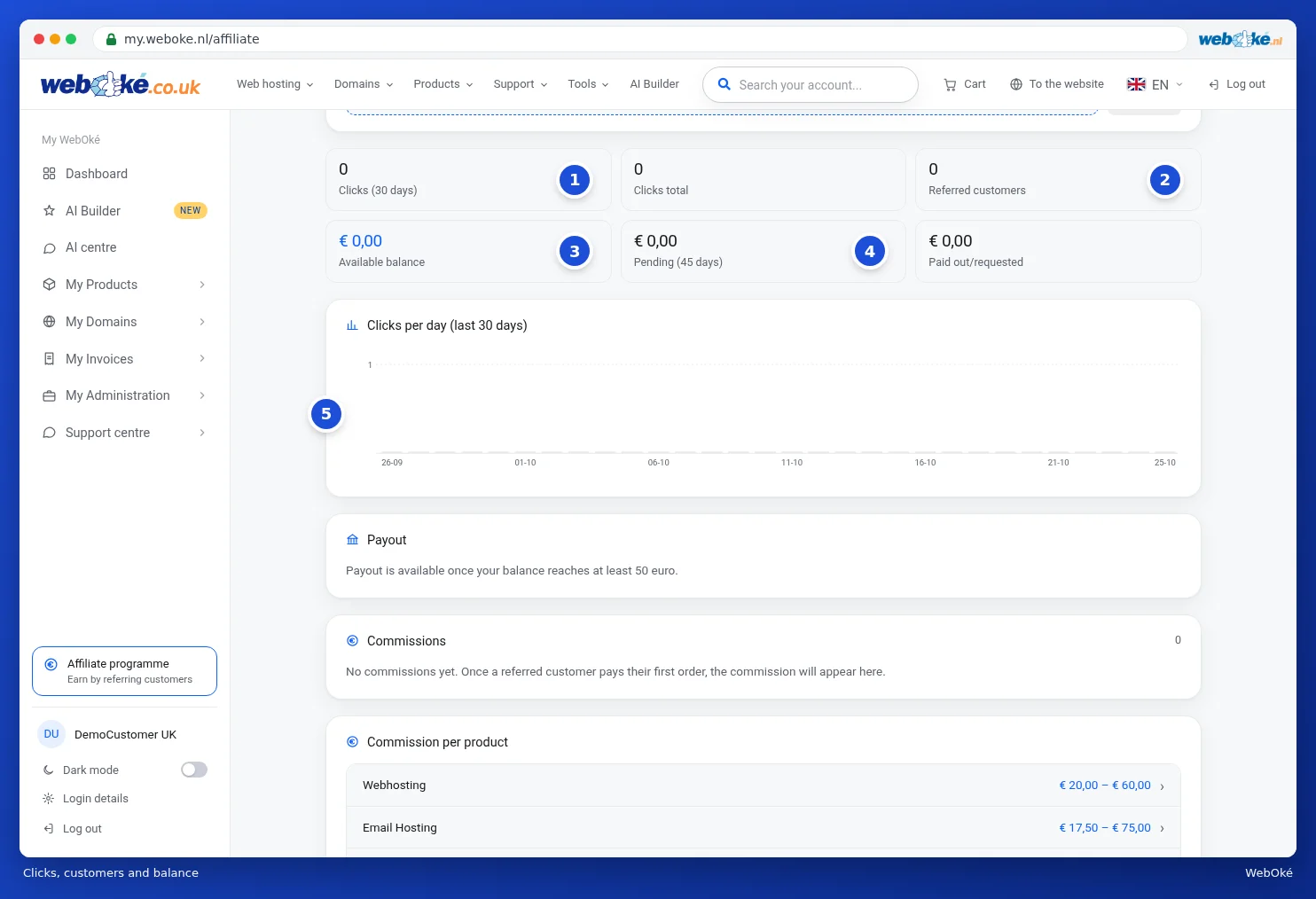
- Clicks (30 days) (1): how often your link was clicked in the past 30 days. Next to it is Clicks total.
- Referred customers (2): how many new customers came through your link.
- Available balance (3): the commissions that are final and that you can have paid out.
- Pending (4): commissions that are not yet final. The name shows how many days the pending period lasts.
- Paid out/requested: what has already been paid out or for which you've requested a payout.
The Clicks per day (last 30 days) (5) graph shows how many clicks there were per day. Every click on your link appears there straight away.
How is a commission created?
- Someone clicks your link. If they order within the validity period of your referral, it counts for you. If they then click another affiliate's link, the most recent click counts.
- Only new customers count. As soon as their first order is paid, your commission appears with the status Pending.
- After the pending period, the commission becomes Final and counts towards your available balance. The pending period exists because of the cooling off period customers have for an order.
- If the order is refunded, credited or cancelled, the related commission lapses, and its status changes to Expired.
Commissions and payout
Further down the page, you'll find three blocks:

- Payout (1): here you request a payout. As long as your balance is below the minimum, this shows the amount from which payouts are possible.
- Commissions (2): all your commissions and their status. As long as there are no commissions yet, this shows that there are no commissions yet.
- Commission per product (3): the current rates.
Requesting a payout
If your available balance is high enough, the Payout block shows a form:
- Enter your IBAN.
- Under Account holder, enter the name of the account holder.
- Click Request payout. The button shows the amount we'll transfer.
We transfer the amount within a few working days. In the list below the form, you can see the status of your payout: Requested, Paid or Declined.
Frequently asked questions
At the bottom of the page, you'll find answers to the questions we get asked most often. Two examples:
- I referred a customer, but they did not use my link. Let us know that customer's email address via a ticket, with as much information as possible. We'll then check whether the order can still be counted. See Submitting a ticket.
- What if someone orders later? Your referral remains valid for a while after the click. If the visitor places their first order within that period, it simply counts for you.
Tip: you can read the exact terms in the affiliate terms and conditions. The link is on the affiliate programme page.