
Chapter 5 · 5.3
Adding or changing an A or AAAA record
Watch it in a short video
With an A record, you point a name to an IPv4 address, and with an AAAA record, to an IPv6 address. You'll need this if your website (or a subdomain) is hosted on another server, for example with a website builder or a webshop platform that provides an IP address.
Adding an A record
- Open DNS Administration and select the correct domain at the top right.
- Click ADD RECORD.
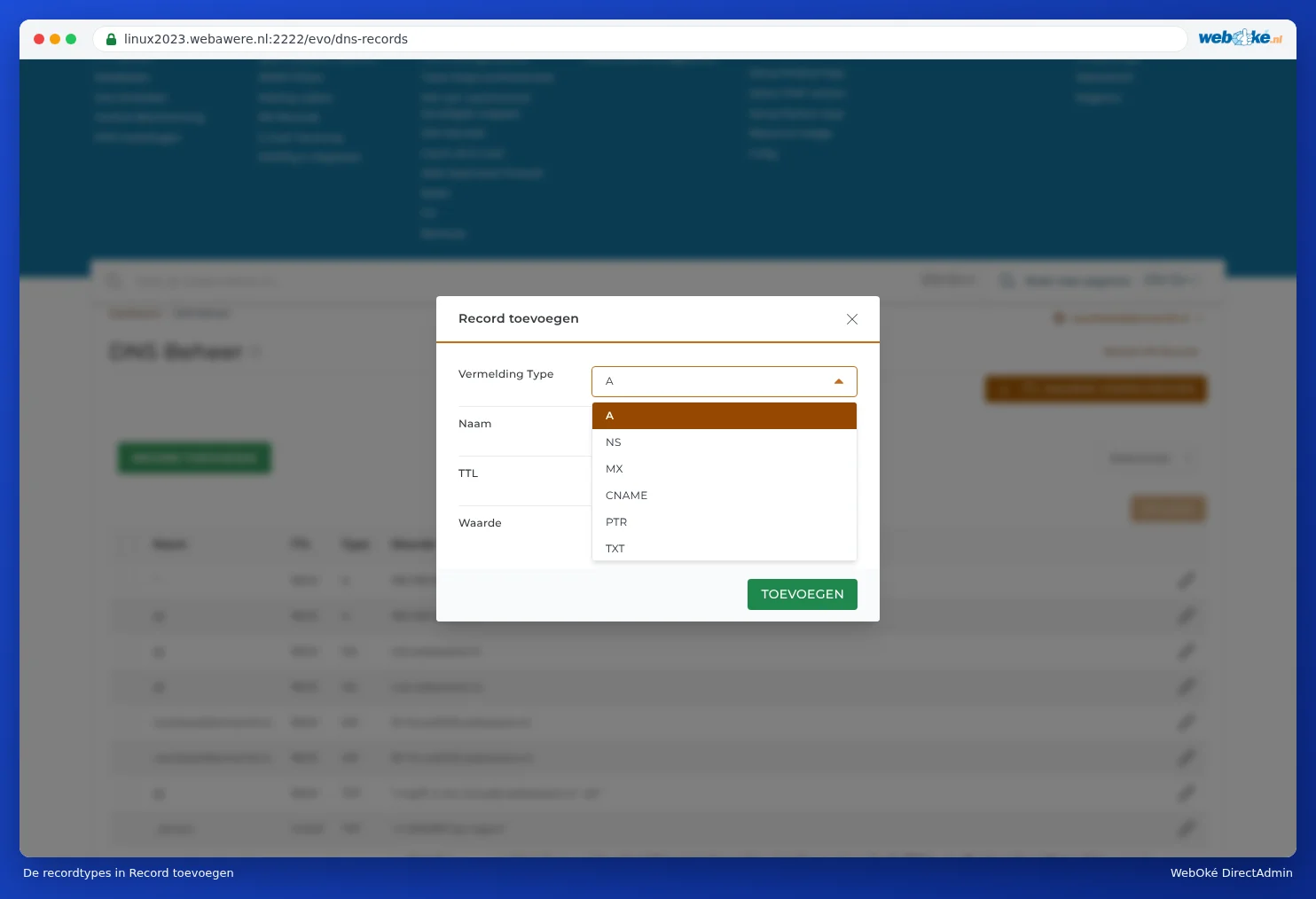
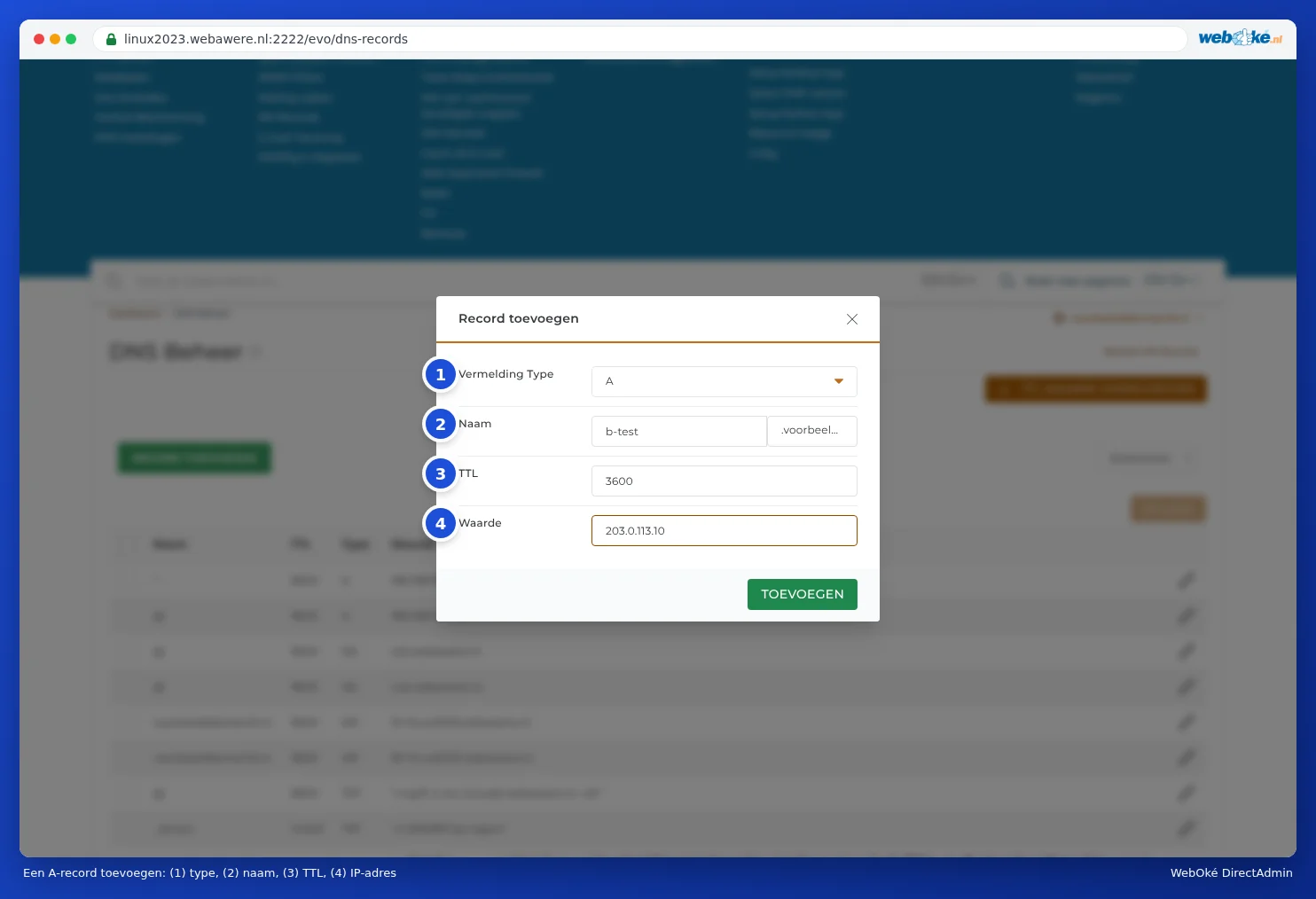
- For Record Type (1), choose A (or AAAA for IPv6).
- In Name (2), enter the first part of the name, for example shop for shop.yourdomain.com. The domain is already added after it. Leave the field empty for the domain itself.
- Leave TTL (3) at 3600.
- In Value (4), enter the IP address.
- Click ADD.
The Record Type drop-down list shows all record types: A, NS, MX, CNAME, PTR, TXT, SRV, AAAA, TLSA, CAA, HTTPS and SVCB. Scroll down in the list for the last ones.
Changing an existing record
Click the pencil icon next to the record. The Edit Record window opens. Adjust the value and click SAVE.

Pointing your website to another server
Do you want to point your whole website (but not your email) to another server? Then change the A records for @ and *, and also for www if there's a record for it. Don't forget the AAAA records: if you don't change those too, visitors using IPv6 will still end up on the old server. If the new server doesn't have an IPv6 address, delete the AAAA records for @ and *.
Please note: Your email programs often use your domain name (yourdomain.com) as the server, or mail.yourdomain.com, which points to your package via the record with the asterisk (*). If you point @ and * to another server, those email programs will no longer find your mail with us. In that case, set the server name of your package as the server in your email programs, such as linux2023.webawere.nl (see All settings at a glance: servers, ports and security). If you want to keep using mail.yourdomain.com, create a separate A record for it with the IP address of your package.
Deleting a record
Tick the record and click Delete. In the Delete DNS record window, click CONFIRM.
Frequently asked questions
I get an error when saving
DirectAdmin checks the DNS before saving. If something's wrong, such as an IP address with a typo or a name containing a space, you'll get the message Error Writing Records with details of what's wrong below it. Nothing changes in that case. Check your input and try again.
I've added a record but still see the old website
DNS changes take time: until the TTL of the old record has passed, usually an hour. Read When does a change take effect? Waiting time and TTL.