Skip to content

Cookie settings

Choose which kinds of cookies you allow. You can change your choice at any time via Cookie settings at the bottom of every page. Privacy statement

Necessary

Always on

Needed to log in, keep your cart and remember your choices. These are always on.

Which cookies?
  • weboke_sessie, weboke_klant, weboke_remember: your session and staying logged in
  • weboke_basket: your cart
  • wkBtwIncl: showing prices with or without VAT
  • wok_cookies: your cookie choice, 12 months

Measures which ad leads to a visit or order, so we do not pay for ads that do nothing.

Which cookies?
  • Google Ads via Google Tag Manager (_gcl_au, _gcl_aw), up to 90 days
  • OpenAI Ads, ads in ChatGPT
  • wok_aff: which partner referred you to us (affiliate programme), 60 days

4.6

Country and language

Each country has its own site, with prices and VAT for that country.

View

Activate DNSSEC

With DNSSEC you put a digital signature on the DNS of your domain. We recommend it: it makes your domain more secure and you need it for a score of 100% on internet.nl. You can read exactly what DNSSEC is in What is DNSSEC?

Turning on DNSSEC

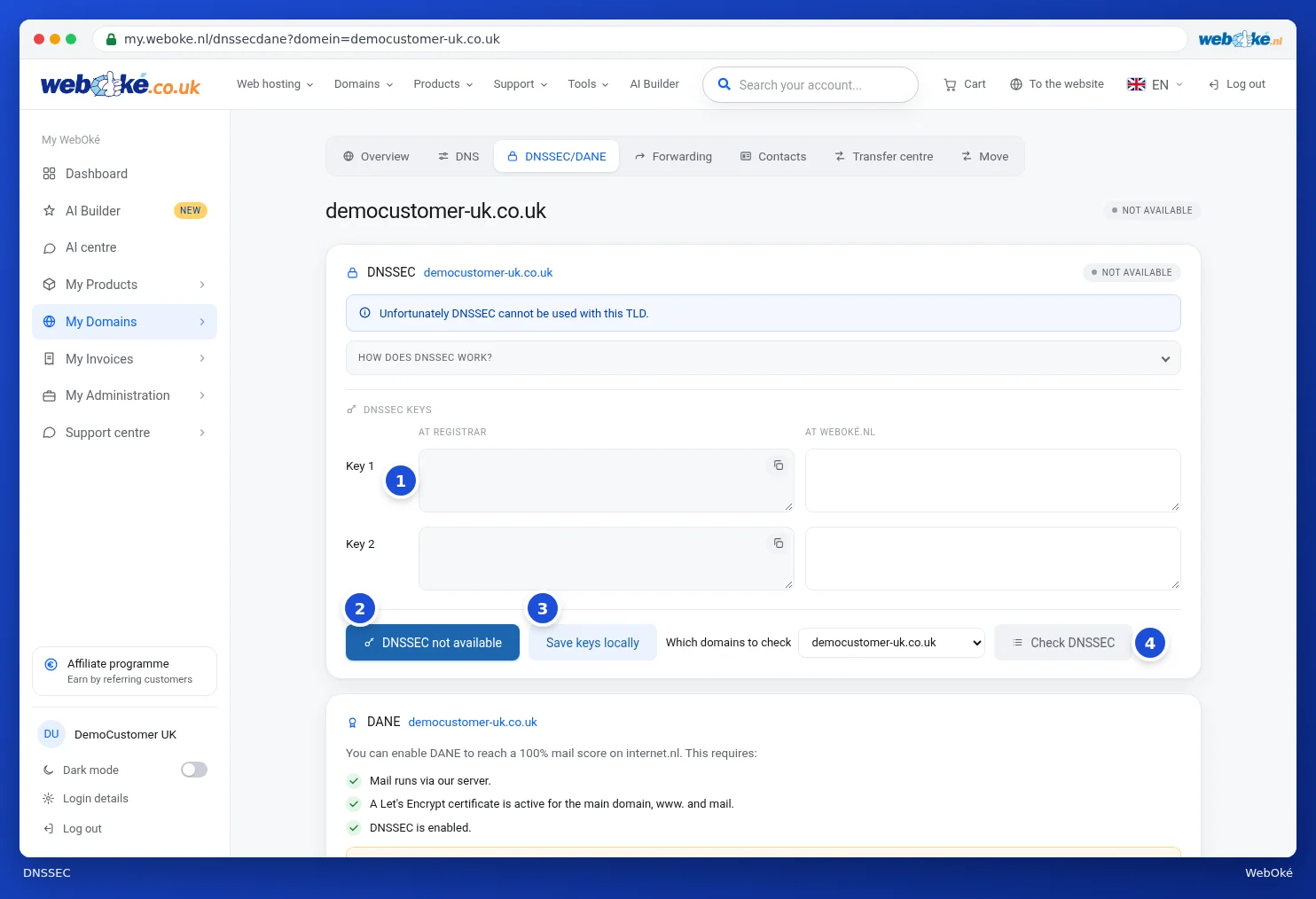
  1. Go to My Domains in My WebOké and open the DNSSEC/DANE tab. You can also click Manage next to DNSSEC on the domain page.
  2. Check whether two keys are shown on the right under At WebOké. For a new domain it may take a while before they become visible.
  3. Click Activate DNSSEC.
The DNSSEC card with the keys at the registrar and at WebOké and the buttons
DNSSEC for your domain in My WebOké

Turning it on happens immediately, but it can take up to 12 hours before it's visible everywhere. If you still don't see any keys at WebOké after 4 hours, please contact support.

Using other nameservers?

If your DNS is hosted with another party, such as Cloudflare, you first turn on DNSSEC there. That party will give you a DS record or a key. Enter that on the left in the DNSSEC/DANE tab and click Save keys locally. We will then add the key at the registry.

Are you going to move your domain or use other nameservers? Then turn off DNSSEC first, otherwise your domain could become unreachable. Read DNSSEC and moving: turn off first, or take the key with you.

You can check whether everything is set up correctly under Domain / Email health on the domain page, or with the test at internet.nl.

Detailed explanation with screenshots: DNSSEC and DANE in the WebOké manual.

You might also enjoy reading: The History of the Domain Name

Was this article helpful?

← Back to Domain registration

One moment…

Set up your domains

For each domain, arrange the nameservers, the link to your hosting and who becomes the owner.

Loading your domains…