
Going to webmail and what to do if logging in doesn't work
With webmail you read and send your mail in your browser, without installing anything. Here you'll read how to log in and what to do if that doesn't work.
How to open webmail
Go to webmail.weboke.nl, or click Webmail at the very top of our website. If your domain points to your package at WebOké, then www.yourdomain.nl/webmail also works.
Logging in
- Fill in your full email address under Username, so info@yourdomain.nl and not just info.
- Fill in the password for this email address under Password.
- Leave the Server field empty.
- Click LOGIN.
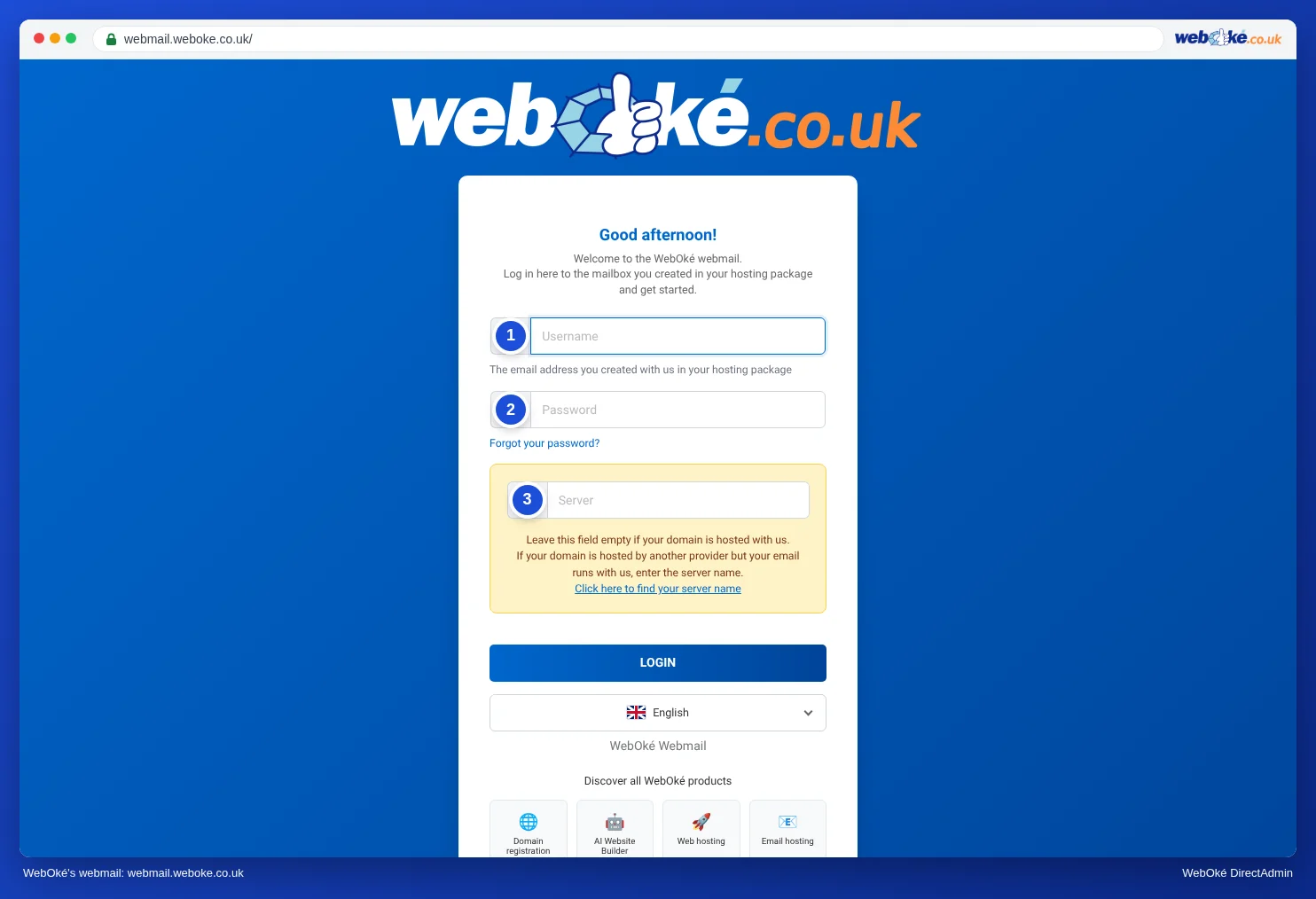
The password for your mailbox is not the same as the password for My WebOké or DirectAdmin. You use the password you chose when creating the email address.
Can't log in
Go through these points:
- Check what you're entering. Use your full email address and check that Caps Lock is off. Passwords are case sensitive.
- Leave the Server field empty. If you've filled in something there while your domain is with us, logging in or sending may fail, for example with SMTP error (535): Authentication failed. Log out and log in again with an empty field. Only if your domain no longer points to WebOké do you fill in the server name of your package here. Read Finding your server name and DA username.
- Set a new password. Don't remember your password? Then set a new password in DirectAdmin. Read Changing the password or limits of an email address. If you don't manage the package yourself, ask whoever manages it.
- Check if your IP address is blocked. Does the page not load, while it does work on your phone via 4G? Then our firewall may have blocked your address after too many failed login attempts. Check and release at Am I blocked? Also read Am I blocked? Your IP address and our firewall.
- Update your devices. Have you changed your password? Then also enter the new password in Outlook, Thunderbird, Apple Mail and on your phone. A device that keeps trying the old password will otherwise cause your address to be blocked again.
- Check the status page. Doesn't it work for anyone? Then check www.weboke.nl/en/status to see if there's an outage or maintenance. Also read Outages and maintenance: the status page.
Does logging in work, but not sending or receiving? Then read Sending or receiving doesn't work: how to fix it.
Don't have email with WebOké yet?
Webmail comes with every hosting package and every email package. If you only want email on your own domain, check out the email packages. If you also want a website, check out web hosting.
Detailed explanation with screenshots: Opening webmail in the DirectAdmin manual.
Was this article helpful?